A Fresh Perspective on Facebook
December 13th, 2021
It’s been nearly a year since
I first wrote on the topic of Facebook in a column where I advised readers that
“It’s Okay to Be Antisocial”. I am far from either a prophet or a clairvoyant,
but the warnings that I sounded have proven to be true, and those who may have
dismissed my advice may seem mighty foolish in hindsight. My advice today more
than ever is, not to use Facebook more cautiously, but to abandon the platform
in its entirety, with that same advice applying to most other so-called social
media as well.
Yes, it was not that long ago
that I was presenting seminars and writing how social media advertising – Facebook, in particular – was the
greatest new development since the Internet itself. Five years ago, I was
offering suggestions on how to beat Facebook at its own game, using guerilla
marketing techniques on the platform. Sure, we all recognized that the
intrusions into our personal privacy were a bit creepy, but the ability to
reach targeted marketing prospects seemed to be worth the compromise.
In the beginning, Facebook (originally called Facemash) seemed to
represent little more than an awkward attempt by nerdy Harvard undergrads with
a lack of actual social skills to meet young women at neighboring colleges.
When you think about it, even that original concept exploited the personal
privacy of its users. For years, most people were baffled by the company’s
continual growth while it failed to show even a penny in profits prior to 2009;
however, it did not take long for Facebook to evolve into a money making
machine that would be built upon ever-increasing exploitations of personal
privacy.
On a personal level, I stopped
using Facebook in its entirety in early September of 2020. I actually experienced
what I would describe as a 7 to 10 day period of withdrawal, missing the
ability to stay in daily touch with countless friends both old and new, but my
sense of newly discovered freedom afterward was absolutely refreshing. Over the
course of the 10 years or so when I remained active on the platform, I would
often joke about how Facebook would “coincidentally” show me advertising that
was related to one of my recent posts or comments. When I, along with millions
of other people, started using ad blockers, Facebook started showing paid posts
in lieu of paid advertising. These paid posts represent advertising content
that is being disguised as editorial content, even when that advertising originates
with foreign governments or domestic terrorists and clearly represents content
that Facebook knows to be untrue.
Facebook’s business model is designed
to amass huge profits by intentionally sowing discord among its subscribers. Simply
put, the greater the controversy, the greater the profits. Regardless of where
a person falls within an increasingly polarized political spectrum, Facebook
will show that person paid content that pours fuel on the fire while demonizing
those with opposing viewpoints. Whereas media outlets such as Fox News and CNN
play to their specific audience demographics, and as such will never reach more
than half of a divided population, Facebook profits by selectively appealing to
the entire demographic spectrum and taking money from literally anybody who
wants to influence them. It is the essence of the company’s algorithms, as has
been only partially exposed in recent whistleblower releases of internal
documents.
By being fed a one-sided diet
that is often based upon disinformation, subscribers’ opinions and beliefs are reinforced
in a manner that continually enhances the polarization. Varying opinions
regarding the coronavirus pandemic, vaccines, and mask mandates have earned
Facebook a fortune in profits. In fact, in a statement released the day prior
to this writing, Facebook announced that its revenues increased by 35% to $29
billion in July through September 2021, while profits rose 17% to $9.2 billion
as compared to the same time period in the previous year. It should not require
an insurrectionist attack upon the U.S. Capitol for reasonable people to
understand that these escalating profits represent a rapidly accelerating
downward spiral for the platform’s users.
Where
do you see your business fitting into this scenario?
Let us be clear that Facebook
advertising is not a bargain. In the early days, businesses would pay to
advertise on the platform in order to get users to “like” their page and then
see their posts. Soon afterward, advertisers needed to pay Facebook so that
even people who had already “liked” their page could actually see their posts.
Think about it. If you continue to play along, you are paying Facebook an
ever-increasing sum of money so you can reach not new customers but your existing
customers. Why would anybody pay to do that when there are countless alternate
means of reaching your customer base at a far lesser cost? Any why would
anybody do this at a time when most campgrounds have experienced unprecedented
occupancy levels and can barely keep up with the demand for campsites? In the
campground industry, some of the same people who willingly pour money into
Facebook advertising question the rationale for offering Good Sam and similar
discounts that they feel cut into thin profit margins. Depending upon your
available inventory, I would suggest engaging in dynamic pricing or offering
customer incentives rather than feeding Facebook’s coffers. After all, your
customers who use Facebook can still promote your campground, and even Facebook
will admit that direct end user engagement is far more effective than paid
advertising.
Yes, Facebook and the
other social media may be capable of sending you customers, but it is simply
not worth the price. Should you decide to continue to pay to play, what is the
percentage of your profit margin and what is the threshold for return on
investment where you will finally decide that it is time to kick the habit? The
costs to participate will only continue to escalate, as Facebook rolls out its
next generation of social interaction, the so-called “metaverse” that is based
upon 3-D virtual reality and the use of its Oculus VR headsets. There are
people who will argue that you will have to be there as well, but I will argue that
they are wrong and that Dr. Frankenstein’s monster is out of control. The
Federal Trade Commission has wisely proposed the breakup of Facebook, a process
that is long overdue. In the meantime, it is your decision as a small business
owner to decide whether or not to continue financing a business model that you
may agree is inherently exploitive and basically wrong.
This post was written by Peter Pelland
Tags: Facebook
Posted in Business Ethics, Facebook Tips, Social Media |
It’s Okay to Be Antisocial
March 11th, 2021
Let me be the first to admit
that I am guilty. It was not that long ago that I was presenting seminars and
writing how social media advertising –
Facebook, in particular – was the greatest new development since the
Internet itself. As recently as four years ago, I was offering suggestions on
how to beat Facebook at its own game, using guerilla marketing techniques on
the platform. Sure, we all recognized that the intrusions into our personal
privacy were a bit creepy, but the ability to reach targeted marketing
prospects seemed to be worth the compromise. After all, when I was a child
watching television in the 1950’s, Captain Kangaroo would seamlessly segue from
visiting with Bunny Rabbit and Mr. Moose to selling Kellogg’s Rice Krispies and
Schwinn Bicycles, and what was wrong with that? Actually, there was plenty
wrong with it, prior to a Federal Trade Commission (FTC) ruling in 1969 that
prohibited children’s show hosts from directly promoting commercial products.
In the beginning, Facebook (originally called Facemash) seemed to
represent little more than an awkward attempt by nerdy Harvard undergrads with
a lack of actual social skills to meet young women at neighboring colleges.
When you think about it, even that original concept (an extension of the sexist
freshman photo books that had been sold on college campuses for decades) violated
the personal privacy of the young women whose photos were being used. From that
start, it did not take long for Facebook to reinvent itself into a money making
machine that would be built upon ever-increasing exploitations of personal
privacy.
On a personal level, I
stopped using Facebook in its entirety in early September of 2020. I actually
experienced what I would describe as a 7 to 10 day period of withdrawal,
missing the ability to stay in daily touch with countless friends both old and
new, but my sense of newly discovered freedom afterward was absolutely refreshing.
Over the course of the 10 years or so when I remained active on the platform, I
would often joke about how Facebook would “coincidentally” show me advertising
that was related to one of my recent posts or comments. When I, along with
millions of other people, started using ad blockers, Facebook started showing
paid posts in lieu of paid advertising. These paid posts represent advertising
content that is being disguised as editorial comment, even when that
advertising is originating with foreign governments or other unscrupulous
characters. The only way this can happen is by Facebook’s algorithms monitoring
every word that you type, just as craftily as the National Security Agency
(NSA) monitors the telephone conversations of known terrorists.
What made me see the light
was when I realized that Facebook’s business model was designed to amass huge
profits by intentionally sowing discord among its subscribers. Regardless of
where a person falls within an increasingly polarized political spectrum,
Facebook will show that person paid content that pours fuel on the fire while
demonizing those with opposing viewpoints. By being fed a one-sided diet that
is often based upon disinformation, subscribers’ opinions and beliefs are reinforced
in a manner that continually enhances the polarization. It should not require
an insurrectionist attack upon the U.S. Capitol for reasonable people to
understand that this represents a rapidly accelerating downward spiral.
Let us be clear that
Facebook advertising is not a bargain. In the early days, businesses would pay
to advertise on the platform in order to get users to “like” their page and
then see their posts. Soon afterward, advertisers needed to pay Facebook so
that even people who had already “liked” their page could actually see their
posts. Think about it. This means that you are paying Facebook so you can reach
your existing customers. Why would anybody pay to do that when there are
countless alternate means of reaching your existing customer base at a far
lesser cost? In the campground industry, some of the same people who willingly
pour money into Facebook advertising question the rationale for offering Good
Sam and similar discounts that they feel cut into thin profit margins. I would
rather offer a customer incentive than to take that same money and pour it into
Facebook’s coffers.
Yes, Facebook and the other
social media may be capable of sending you customers, but at what price and in
what environment? If a drug dealer approached you and said, “Yes, my main
business is selling heroin, but I can also send you customers”, would you do
business with that person? I doubt that many of us would enter into that sort
of deal with the devil.
The Federal Trade Commission
(yes, the same people who ruled that Captain Kangaroo should not be hawking
breakfast cereal) is currently proposing the breakup of Facebook, a process
that is long overdue. Facebook has steadily grown – with the acquisition of Instagram, WhatsApp and related platforms –
and a breakup of its monopoly would be the first such action since the breakup
of AT&T four decades ago.
Many of my peers in
the advertising industry will disagree with me, and I welcome that debate. I
remember the days when tobacco products were extensively advertised on
television, a practice that contributed to countless deaths. Today, I believe
that many other types of advertising should be banned because they either
mislead consumers or actually prey upon vulnerable segments of our population,
typically the elderly. These include the advertising of prescription
pharmaceuticals, advertising by class-action attorneys (think “mesothelioma”),
advertising directed at children (think about Saturday mornings), and
advertising directed at senior citizens (think about Medicare supplements and
the aforementioned pharmaceuticals). In the meantime, it is your decision as a
small business owner to decide whether or not to continue financing a business
model that you may agree is inherently wrong.
This post was written by Peter Pelland
Tags: Facebook, Facebook Advertising, Federal Trade Commission, social media
Posted in Business Ethics, Consumer Trends, Cyber Security, Facebook Tips, Marketing Strategies, Social Media |
What’s in a Name?
August 7th, 2018
In the campground industry, there are instances where it makes sense to change the name of a business, particularly if the old business name is too closely associated with a previous owner or has garnered a questionable reputation. In other instances, a park will change its name when it joins a franchise system and adopts the name that is assigned to its local area. Sometimes new owners will want to make a fresh start, after purchasing a park that they love that comes with a name that strikes them as less than well-informed.
Name changes are neither simple nor inexpensive. When Nissan decided to change its brand name from Datsun to Nissan back in 1984, its direct costs were said to be $500 million. It cost the company $30 million just to change the signs of 1,100 dealerships, as well as another $200 million to replace the “Datsun, We Are Driven!” ad slogan with a new campaign designed to build its new identity. Name changes should not be taken lightly because they carry innumerable costs, including the following:
- Filing changes and paying the associated fees with your Secretary of State
- Updating business registrations and licensing
- Checking trademarks
- Designing a new logo
- Replacing signage
- Replacing all of your advertising materials, from business cards to your website
- Checking the availability of a new domain name (which may, in itself, determine or at least influence the new business name)
- Taking measures to ensure that traffic from your old website redirects to your new site, without the new site needlessly taking a hit in its search engine ranking
- Correcting listings on every website that references or links to your business
The website-related issues start with checking on the availability of a new domain name that will well-represent the new name of your business. To do this, you cannot simply enter a URL into a Web browser and presume that it is available because a website does not appear. You need to perform what is called a “whois lookup”, and a quick and easy way to do that is to go to https://whois.com/. If your first choices are already taken by similar businesses in other states, that might impact your choice of business name. Even without taking potential trademark issues into consideration, any businesses with the same name are going to confuse consumers looking for your site and will probably adversely impact your search ranking for years to come. Keep in mind that you do NOT want to settle for a non-dot.com variation of your desired domain name because too many people who see a .xyz, .dot, .fun, or .web URL will not recognize it and will type in the .com variation anyway.
In order to ensure that traffic from your old website will redirect to the equivalent pages on your new site, have your webmaster employ what are called “301 redirects”. These will seamlessly send visitors to your new site while signaling search engines to update their links. If you have a series of alternate domain names, either referencing the old or new business name, you will also want to set those up as domain aliases so they will direct visitors to your new online presence. Of course, you will probably want to reference the old business name on the new site, at least for a year or so. Something like “Welcome to New Campground, formerly Old Campground!” will assure people that they have arrived at the right place.
Updating the links on all of the sites that reference your business will be perhaps the most time-consuming and potentially frustrating, yet critical, process. It is important to maintain your continuing flow of incoming referral traffic. Some sites will require you to log in to your account, others will have an update form, and some others might require a phone call or email. In each instance, you will want to update your business name and Web address; however, while you are there, check to see if anything else should be updated in the listing. Start with the most obvious and important resources, then work your way down the list. For campgrounds, the list will include:
- Your state association website
- National ARVC and the Go Camping America website
- Your listings with Google My Business and Bing Places for Business, which will also affect their respective online mapping resources, Google Maps and Bing Maps
- Good Sam and the campground listings on GoodSam.com
- Your Facebook page, including an update of your Facebook URL to reflect the new business name, and an update of your profile photo and cover image
- Any other social media accounts that you are using
- Campground review sites such as RVParkReviews.com, GuestReviews.com, and Campendium.com
- Broader review sites such as TripAdvisor and Yelp
- Your regional tourism agencies and local chambers of commerce, if you are members
- Any other referring sites that show up as significant sources of traffic in your Google Analytics
Finally, there are literally dozens of local directory sites that you will want to at least try to update. Although few people actually use these sites as resources when looking for campgrounds, these sites are important because they can influence search engine rankings. You can attempt to update these listings yourself; however, some will charge a fee, and whatever you update might still be undone by one of the data aggregators that feed these sites their listing information. Alternately, you can go direct to the four major data integrators to search for and update your listings:
- Factual
- Axiom
- Infogroup
- Neustar/Localeze
There are companies like Yext that will provide this latter service of updating your local directory listings for a fee. Another option is Insider Perks, a company that specializes in working with campgrounds, and probably a better choice. With everything involved on this checklist, maybe that old business name isn’t looking so bad after all. One thing is certain, and that is necessity to consider all of the costs in advance of making such an important decision.
This post was written by Peter Pelland
Tags: Axiom, business names, Factual, Infogroup, Insider Perks, Neustar/Localeze, whois lookups, Yext
Posted in Domain Name Registrations, Marketing Strategies, Review Sites, Site Submission Resources, Social Media |
Listen to Your Customers
February 28th, 2016
I thought it would be useful to read through random reviews of campgrounds on the TripAdvisor website in order to determine whether there were some common complaints that savvy park operators might need to address. On TripAdvisor, we are generally dealing with that all-important market of first-time campers – precisely the people who are needed to grow the industry’s markets. We all know the old adage about first impressions being lasting impressions, and an experience that fails to live up to expectations could not only ensure that a first-time guest will not return to your park; you could very well sour that first-time camper on the entire camping experience, rather than turning him into the next lifetime camper.
I randomly chose campgrounds in four regions of the country and read through reviews. In the instance of one park, I found that every recent 5-star review was followed up with a management response, thanking the reviewer for taking the time to write the review; however, there was not a management response for even a single recent review that rated the campground as anything less than outstanding. The management of this campground is totally missing the point in its failure to address legitimate concerns or even to acknowledge those somewhat less-than-happy campers. Ironically, those unaddressed reviews are consistently flagged as “helpful” by fellow TripAdvisor users. In other words, these unaddressed complaints are being read by other potential guests who are thanking the reviewers for saving them from making the mistake of vacationing at the same park.
The most common complaints fell into 6 categories:
- Extra fees. People who have customarily stayed in hotels or conventional resorts are not accustomed to paying excessive add-on fees or for paying to take a shower. I frequently encountered the term “nickeled and dimed”, and that is not good. Reviewers complained about excessive fees for everything from arts and crafts sessions to the rental of recreational equipment, but the single biggest complaint was with any park that used metered showers. One reviewer wrote, “You have to pay for your shower, and the first three minutes are cold.”
- Indifference on the part of staff or management. Some of the specific complaints a bad attitude when staff members visited campsites, or security staff members who turned a blind eye away from issues that needed to be addressed. There were many complaints about rude employees (bad enough), but the people who referenced rude owners are really raising red flags. One reviewer documented about requesting a credit (not a refund) due to a medical emergency, and how the park owner insultingly demanded a note from her doctor! Another wrote, “The gate guards are not that friendly – actually they are aggressive and rude – and are easily annoyed.” That surly gate guard is the first person encountered upon arrival and can set the tone for the entire camping experience.
- Small sites that are not big rig friendly. Unless camping in a group, campers generally do not want to feel like they are on top of the adjoining sites. If they are camping in a big rig, they want to be able to get into and out of their site easily and without risk of damage to their investment. In the short term, this may mean carefully assigning sites to the camping equipment; in the long term, this may mean re-engineering smaller adjoining sites into larger single sites.
- Dirty, inadequately or infrequently cleaned restrooms. There are simply no excuses here. If it is a busy weekend, your cleaning staff may need to be cleaning your restrooms on a continuous rotation throughout the day. If you are short-staffed, hire people. The photo that I am showing below is one of eight that was included in an actual review, documenting a lack of bathroom cleaning – both short-term and long-term – at one particular park. Additional photos attached to the review show fecal matter in front of toilets, dirty floors, empty paper towel dispensers, and stained shower stalls.
- Lack of maintenance in rentals. Be careful about overselling you’re amenities. It is probably a mistake to market aging park models as “luxury cottages”, particularly if their amenities are inconsistent with what you advertise. If a furnished park model is designed to sleep 6 people, the kitchen utensils should not be limited to 3 forks, 2 glasses and 4 chipped plates (as mentioned in one actual review). There should be a printed inventory of furnishings (that are checked and replenished by housekeeping between rentals) that will allow guests to know exactly what they should expect to find in the unit.
- Lax enforcement of rules. Yes, we all know that rules are a double-edged sword where some people are always going to be unhappy; however, the guests who really count are the ones who expect quiet, not those who are creating a nuisance. Within this category of complaints, the biggest issues involved unattended dogs being allowed to bark, and quiet hours that were not consistently and politely enforced.

All in all, the people who are addressing these concerns are far from being unreasonable. If you were on a vacation – perhaps a cruise or a trip to a vacation resort – would you find these shortcomings acceptable? Of course not! Treat your guests with respect, meet their expectations, and your business will grow and prosper.
This post was written by Peter Pelland
Tags: consumer reviews, customer satisfaction, TripAdvisor
Posted in Consumer Trends, Marketing Strategies, Review Sites, Social Media |
The Fine Art of Handling Negative Reviews, Reviewed
January 31st, 2016
Recent outdoor hospitality conferences in Daytona Beach presented me with an opportunity to stay at area hotels, dine at area restaurants, and visit area attractions during the course of two stays in town. For nearly 10 years, I have been an active reviewer on the TripAdvisor website, and I have come to rely upon TripAdvisor as a reliable source of peer reviews. I like to think that I write honest reviews, and I appreciate that same honesty in other reviewers. To date, I have written 120 reviews, 49.2% of which have given “excellent” ratings and 27.5% of which have given “good” ratings. My reviews provide business owners with wonderful opportunities to obtain valuable consumer feedback. Occasionally, business owners are incapable of accepting constructive criticism, and that is their loss. When they react with an over-the-top, non-objective management response, they are truly missing the point of the entire process.
One recent experience illustrates my point. When my wife and I stayed in Daytona Beach for a few days at the end of the KOA Expo, we visited an attraction that TripAdvisor rates as #1 out of 71 “things to do” in the nearby city of DeLand. We were disappointed in this historic house tour, felt that the tour was overcrowded, and considered it overpriced. What particularly bothered me – and aroused my suspicions regarding the validity of the attraction’s rating – was the way that the tour guide came right out and asked people to submit TripAdvisor reviews, followed two days later by an e-mail from one of the owners, again asking for a TripAdvisor review. I definitely had the impression that a ballot box was being stuffed.
Of course, I felt compelled to share my experience with others on TripAdvisor, particularly since I thought that the attraction’s #1 rating was highly misleading. I went out of my way to be objective and sensitive to the idiosyncrasies of the owners, quite generously giving it a three-star (“fair”) rating that I carefully documented. Prior to writing my review, I noticed how the owners of the attraction responded to every review on TripAdvisor, and how any reviewer who did not give the attraction an “excellent” rating was essentially attacked in one way or another. I was prepared for an assault but would not be intimidated. In my case, I was told that I had “baffled” and “insulted” them with my “false claims”, and that I was obviously an “angry” person.
Other reviews received management responses that were far more offensive. Here are some samples culled from various management responses: “Your comments are unsubstantiated and more importantly not true.” “Your comments are completely false and hurtful.” “I have contacted TA to handle your harassment, (and) your hateful attempt to try and discredit us is sad at best. You should be ashamed of yourself.” “Your ‘Poor’ rating is suspicious at best.” “For someone to go out of there (sic) way to give false feedback with the intent to hurt a small business owner is sad and actually difficult for me to comprehend.”
As you can see, some small business owners cannot be objective when handling criticisms of the businesses which are often extensions of themselves. That is understandable, but it is important to put subjectivity aside and recognize that, in the vast majority of instances, a negative review is providing valuable input regarding improvements that you should consider making.
When you have the opportunity to respond to a negative review, here are a few suggestions:
- Listen to what the reviewer has to say. Try to be as subjective as possible, putting your ego aside. The review is not a personal attack upon your reputation (even if you think that it is.)
- Empathize, introduce a positive factor into the conversation, and apologize if necessary. An apology is not an admission of guilt but simply a polite acknowledgement that the reviewer had less than a perfect experience involving your business.
- Try to take the conversation offline. Not long ago, I posted on Facebook how I was dissatisfied when an energy audit contractor failed to show up for a scheduled appointment. The organization saw that it had been mentioned on Facebook, responding by asking me to contact them privately with my telephone number. Offline, they apologized and re-scheduled the appointment for the following day. Any damage was under control.
- Despite the urgency of responding quickly, before posting a response to an online review, always run it by another set of eyes. Too often, in the absence of body language and tone of voice, a response with the best of intentions might sound condescending or even sarcastic. Remember that you are trying to rectify a situation, not make it worse.
It is important to separate yourself from your business, to keep your cool, and to try to treat every review as a learning experience. If you do not like what you are reading, avoid the temptation to take things personally and as an opportunity for retaliation. Respond following the guidelines above, and then move on. Put on your big boy pants and get on with the responsibilities of running your business to succeed within the best of your capabilities.
Note: Since originally writing this post, I have continued to receive e-mails from one of the owners of the attraction in DeLand, again asking me to write a positive review on TripAdvisor. (Apparently, they do not mind spamming their customers in their pursuit of TripAdvisor reviews.) Another e-mail arrived more recently, urging its recipients to e-mail the producers of CBS Sunday Morning to ask them to do a feature story on the attraction.
This post was written by Peter Pelland
Tags: consumer reviews, TripAdvisor
Posted in Business Ethics, Guerrilla Marketing, Marketing Strategies, Review Sites, Social Media |
Free Yourself from Technology
January 20th, 2016
Yes, you read it right. Am I speaking blasphemy? Maybe not. I am currently reading an excellent book titled “Reclaiming Conversation: The Power of Talk in a Digital Age” by Sherry Turkle, and it is about how smartphones, texting, and social media like Twitter and Facebook have destroyed our ability to carry on emotional and intellectual conversations. In the words of the author, “Technology gives us the illusion of companionship without the demands of friendship.” An entire generation of us, dominated by those under the age of 30, is uncomfortable with the unfamiliar concept of carrying on a direct conversation that involves eye contact, inflection, body language, and emotion.
We have grown accustomed to substituting ALL CAPS for subtle inflections, acronyms like LOL for a smile or a laugh, avatars for our faces, and emoticons for our emotions. Facebook encourages us to only post comments that will be broadly “liked”, discouraging any sort of intelligent discourse or exchange of opinions with anyone who is not like-minded. The fact is that we all have much to learn, in a respectful way, from people with beliefs and opinions that differ from our own.

In the camping experience – built upon the concept of providing people with an opportunity to get away from their routines and to commune with a more natural environment – one of the single most highly demanded amenities is high-speed Internet access. The lion’s share of my own business is the development of mobile-friendly campground websites, ensuring that campers can learn everything possible about a park using nothing but their smartphones or tablets. Camping tends to mirror society itself, and somewhere along the line society has gone astray.
As school systems nationwide have been in a mad rush to see which of whom can install more computer classrooms faster than their peers, it may surprise some readers to learn about the growth of technology-free schools in America’s computer capital, Silicon Valley. That’s right. Back in 2011, the New York Times reported how educational alternatives like the Waldorf School of the Peninsula, in Silicon Valley, had a student body that consisted of the children of executives from eBay, Google, Apple, Yahoo, and Hewlett-Packard. It has also been widely reported how Steve Jobs limited his children’s access to technology at home, and how many of the other icons of technology follow the same course.
In fact, one of the latest trends in summer camps (those second cousins of family campgrounds) is the development of technology-free camping, sometimes referred to as “tech detox” camps. Mind you, these summer camps are available not only for kids but for adults, hundreds of whom are willing to pay dearly for the opportunity to put aside their cell phones for a week. There is clearly a demand for device-free vacations. In fact, one of my childhood friends (with whom I am connected on Facebook, of course) just posted last week, “I wonder if there is a place on earth where there is no cell phone service, no Facebook, no TV, no computers … I would go to that place for one week and do nothing but read, write, rest, and get away (just for a while) from this maddening crowd we live within.” Is there a campground ready to step up to the plate?
There was a recent discussion on the Campground Success LinkedIn Group that I moderate, initiated by a campground owner who wondered whether or not there might be a viable market for a pet-free campground. The general consensus was that there might be risks in suddenly implementing a pet-free policy, particularly when so many of us treat our pets like our own children; however, there is likely a demand for such an alternative. (I would consider it a far lesser risk if I was running a campground that was surrounded by 20 other parks in the immediate area, rather than a park where my nearest competitor was 50 miles away.) I believe that the time has also come for a few brave souls to experiment with running a technology-free campground, maybe testing the waters with a technology-free weekend. (Imagine the free publicity that you could garner in the press!)
This would have to be planned well in advance, before accepting reservations from any campers with conventional expectations. Campers would agree to leave their cell phones at home or locked away and to put away their satellite dishes. The park would shut down its wi-fi routers, pull the cable on TV service, and plan an entire weekend of activities and events that will allow campers to get to know one another – and to get to know themselves – like they used to do in the “good old days”. Let’s face it: Camping is the perfect setting and environment for tech-free activities and non-activities alike! You could offer things like a book exchange, an acoustic music jam session, nightly group campfires, nature walks, parent and child activities, and a Sunday morning service with a tech-free homily.
Sure, there are issues that would need to be addressed. What do you do about seasonal campers who do not want to participate? What do you do about people who do not easily withdraw from their technology addiction? Those are minor challenges that can be easily overcome. Think of the first restaurants years ago that toyed with the idea of going smoke-free. Today it is almost unheard of to find a restaurant in the United States that allows smoking, and we are all better off for the change.
Who will be the first to step up to the challenge? Without explorers who risked sailing into uncharted waters, we might still believe that the world was flat. Just think of what you might accomplish. If the lessons learned at your tech-free weekend lead to just one family that returns to having dinner together each evening without the distractions of cell phones and TV, you will have just accomplished far more than you had ever intended.
This post was written by Peter Pelland
Tags: tech-free, technology-free
Posted in Consumer Trends, Marketing Strategies, Social Media |
Big Things Are Happening at RV Park Reviews
January 10th, 2016
The following post is based upon an interview with Andy Robinowitz, the CEO of Social Knowledge LLC, and the owner of the RV Park Reviews website. The interview was conducted by Peter Pelland in July of 2015 and originally published in the November 2015 issue of Woodall’s Campground Management.

Let’s face it: The typical small business owner likes consumer review sites about as well as fingernails scratching on a chalkboard or tooth extraction without anesthesia. That disdain is generally unfounded. Yes, there are certainly instances when somebody with an axe to grind exploits the opportunity to try to inflict harm upon a business, but most readers of mean-spirited reviews are smart enough to read between the lines (and the usual spelling mistakes).
Smart small business owners look at consumer reviews in the aggregate and in an objective manner, recognizing the valuable feedback that the reviews provide. Big companies designate significant sums of money toward market research, employing focus groups, product sampling, surveys and many other costly tools. Whether somebody is thanking you for something that was done right, or pointing out an area where there is room for improvement, think of each review as free market research data that should influence decisions about how to run your business more successfully. Particularly when a comment or observation is expressed repeatedly, it should never be dismissed as simply an individual opinion. Reviewers are generally influencers, predicting future trends as effectively as canaries in coal mines.
The Campground Industry
Campground review sites are nothing new; however, they are growing in influence and becoming far more versatile as the sites add features and functionality designed to meet the needs of both campers and campground owners. While some review sites have stagnated a bit, and while TripAdvisor wastes valuable time deciding when to add a dedicated “Campgrounds” navigational tab, the RV Park Reviews website is undergoing some major improvements that need to be on your radar.
RV Park Reviews originated back in 2000 and has grown into perhaps the most significant contender among review sites that are specific to the campground industry. The site was acquired by Social Knowledge LLC, a Dallas-based company, in the fall of 2013, and the new owners are more focused than ever on meeting both the needs of the site’s readers and individual campground owners. They have shared both documentation and their vision for the future with me.
Over the past year, RV Park Reviews has reached nearly 6,000,000 unique users, 95% of whom were located in the United States. Both user and session numbers are up roughly 20% over the previous year, and a similar rate of growth is anticipated going forward. With well over 200,000 existing reviews, far more people are turning to the site to conduct research prior to choosing a park destination than are turning to the site specifically to write a review. (This serves to disprove the “axe-grinder” theory!) These users spend a considerable amount of time visiting multiple pages per session, considering the experiences of others while looking for campgrounds like yours. With over 30,000,000 page views over the past year, doing the math will suggest that the average review has been read over 150 times in the past year alone.
In an interview with Andy Robinowitz, the CEO of Social Knowledge LLC, I gained some insight into what the site is currently offering to campground owners, as well as some of the added functionality that will be introduced this fall.
PLP: What sets RV Park Reviews apart from other campground review websites?
AR: Our contributors, the scale of our readership, campground coverage, and amenity data are what set us apart. We tend to have more reviews per campground than other websites. Our readership has now grown to more than 6 million readers annually. About 25% of our readers return on a regular basis, indicating how the site is very popular.
PLP: What do you say to campground owners who see review sites as forums for people with an axe to grind, and what do you do to try to prevent that from happening?
AR: It’s a valid concern. We address this issue in a few ways with our policies. We also provide readers with tools to help them to better decide which reviews they want to trust, and soon we will be giving the campground owners the ability to respond to reviews, so they will have a voice as well.
To help our readers decide which reviews to trust, we recently added the rating distributions of each reviewer so someone can see if a contributor tends to only leave negative reviews. Alternatively, if you see a user who has lots of reviews with most of them being positive, then a single really bad review, you might take that into consideration in deciding whether to trust the review or not.
Going back to the axe grinders, our analysis shows that these types of issues are rare, with the vast majority of our reviews being positive. Regardless, we have a policy that requires a user to have at least two reviews approved before either will be shown on our website. This prevents people from creating an account to publish a single negative review. Most disgruntled customers never take the time to submit additional reviews. We also require reviewers to meet our Review Guidelines so they can’t just rant about poor service. We moderate all submissions from new users before they are published. Based on our historical information, we suspect less than 1 in 100 reviews are from disgruntled customers.
PLP: Do you encourage campground owners to ask their campers to write reviews?
AR: Yes, I would recommend that campground owners ask their campers to leave reviews. The more reviews you have, the better the odds that readers will get an accurate feeling for a campground where they have not previously stayed. It also helps establish a larger base for the ratings. For example, if you only have two reviews, an 8 and a 10 mean you had an average rating of 9. Then, if someone leaves a review with the rating of 6, your average falls to 8. If you have 7 reviews with an average of 9 and someone leaves a 6, your average will not change. Having more reviews is better for consumers and better for campgrounds.
PLP: You mentioned that campground owners will soon be able to directly respond to reviews. I know that Management Responses have been a key feature of TripAdvisor. Could you elaborate on what you have planned?
AR: This fall we will be rolling out a new feature called the Campground Owner’s Interface. Among other components, this interface will allow campground owners to respond to reviews. This will give campground owners a voice, allowing them to tell their side of a story so readers can use both perspectives when deciding whether to trust a review or not.
Keep in mind that review volume is important to help give more perspectives to readers. Campgrounds with lots of reviews are able to water down any negative effects from a disgruntled client. If you have 9 great reviews from happy customers and 1 negative review, it’s pretty easy for readers to see the trend.
PLP: If this is rolling out in the fall, how can campground owners get a jump start on joining the program?
AR: We highly encourage campground owners to claim their campgrounds. This fall, when the Campground Owner’s Interface is online, campground owners (or management) will then be able to manage their amenities, set their hours of operation, respond to reviews, and more. We’ll even e-mail them whenever new reviews are posted so they will know to respond in a timely manner.
PLP: What will be some additional features?
AR: We will also have a widget available so campground owners can showcase their positive reviews. Campground owners will be in control of what is shown on the widget so they can customize it to their needs. For example, if they want to show only snippets of 4 or 5 star reviews, they can set it to do that. If they don’t want to show any reviews, they can do that as well (and just link to their profile). By adding the widget to their site, a park owner makes it easy for their clients to leave reviews. We strongly suggest installing this on the campground’s website to get more reviews and help with search engine optimization as well.
Given an advance peek at what is coming, I can tell readers that there will also be tools that will allow campground owners to access their statistics at the RV Park Reviews website, keeping track of reviews, page views and more. They will also be able to directly update their seasonal dates, hours of operation, amenities and other campground information, keeping up-to-date and helping potential visitors. The amenities listing will include information that may be vital to some visitors in their decision-making process. For example, whether or not the park has cellular phone service, and if so, which cellular service providers have a signal available; whether or not the park offers wi-fi, listing the fee if applicable; and whether or not the park has showers, again listing whether or not there is an associated fee for that service.
To get started, go to the RV Park Reviews website at http://rvparkreviews.com, find your park by choosing your state and city from the alphabetical listing to the left of the map or by using the search box at the top of the page. When you find your park’s listing, click on the “View Campground Details” link. On the next page, click on the “Own this Campground? / Claim it and Unlock Features” link. Enter your name, e-mail address, phone number, and whether you are the campground’s owner, manager or employee, and you will be notified prior to the rollout of the new features.
When it comes to technology, early adopters usually benefit the most. The RV Park Reviews website is already sending you significant volumes of traffic. Make it work to your park’s maximum advantage. My recommendation is to get on board!
This post was written by Peter Pelland
Tags: campground reviews, RV Park Reviews, rvparkreviews.com
Posted in Marketing Strategies, Review Sites, Site Submission Resources, Social Media |
Shining the Light on New Facebook Premier Ads
November 6th, 2015
When I first started using Facebook, I hated it and “hate” is a strong word that I don’t throw around very lightly. One of the biggest problems I had with the social media giant was the whole privacy thing. Remember, posting is forever and what you put online will be there for the world to see for an eternity.
Don’t worry, Facebook and I kissed and made up. It’s just the way that I was raised I suppose. My ultra-conservative Dad was one of those “big brother is watching you” type of people and the apple didn’t fall far from the tree.

The problem wasn’t with Facebook, it was with me, since I was essentially using it the wrong way. We all know that you can adjust the privacy settings so that only your “friends” can see you, but the concept that they owned everything that I posted rubbed me the wrong way. Now that I am looking at it from a marketing perspective, my view has completely changed.
With over a billion users, you can’t deny the tremendous exposure that a post or advertisement can reach and that Facebook is “open” twenty four hours a day, seven days a week. What other marketing strategy can boast all of those features?
The benefits don’t end there since premier ads offer other amenities and choices, such as:
- Page Like Ads – that allow users to give you the old “thumbs up” directly from the ad
- Page Post Ads – increasing traffic directly to your site
- App Ads – driving app installs, engagement and conversion
- Domain Ads – taking users to the page of your choice at your website
- Event Ads – inviting them to join your event
- Offer Ads – enticing users to purchase your product at a great price
Facebook has been recently shifting its advertising and marketing attention to a paid-only format, so why should be “pay to play” on their site? Mostly it is because they have very effective audience targeting features that give your advertising more bang for the buck. Before you say it, Google, Twitter and a thousand other sites will target your prospective customers, but Facebook’s targeting strategies are a little more unique.
Since most users craft a fairly comprehensive profile about themselves, Facebook can hone in on many different areas rather than concentrating on just one bullseye, like women or men, they can aim more precisely according to:
- Location
- Age
- Gender
- Interest
- Education
- Employment
- Life events
- Apps
- Groups
- Device usage
- Travels
- Purchasing behavior
And those are just a few examples. Arguably, no other social media site uses this combination of comprehensive data to reach their specific audience. This is what makes Facebook such an effective way for businesses and specific industries to find the consumer best suited according to their wants and needs. This type of marketing strategy also takes little time and effort from the advertiser.
This post was written by Peter Pelland
Posted in Social Media, Uncategorized |
If a Contest on Facebook Sounds Too Good to be True …
September 2nd, 2015
You probably know how that sentence ends. If something sounds too good to be true, it probably is too good to be true. In this case, there have been a number of hoaxes that have circulated on Facebook, and it is amazing how many thousands of people unwittingly think these “contests” are authentic before the pages get reported and eventually get taken down.
Over the weekend, one of my friends on Facebook shared a link and commented how she hoped she would be one of the lucky monthly winners of $5,000.00 in travel money being given away by Qantas Airlines. The page looked very authentic but I immediately detected a scam. The page had relatively few posts for a big corporation, all of which dealt with the contest, and I noticed that it had a total of only 14,190 “likes”. That low number of likes is a dead giveaway that you are not at a legitimate page. A quick search brought me to the real Qantas page, with 715,496 likes and, of course, no such contest.
It turns out that this is not the first time that Qantas has had to deal with the public relations nightmare that can result when people think that a business is somehow responsible for a scam in disguise. In an earlier instance this year, a fake page announced that the airline would be offering free upgrades to first class for all passengers through the end of 2015. That bogus page accumulated some 130,000 likes and over 150,000 shares in the first 24 hours of its existence. Yes, people can be very naïve.
Another friend not long ago shared a link to another Facebook page that captured his excitement. It alleged to be Chevrolet and was encouraging people to enter a contest to win a free Chevy Camaro. I noticed that all of its posts involved the fake contest, most extending the entry deadline in order to get more people to “enter”. Once again, I noticed that the page had relatively few “likes”, and I provided my friend with a link to the real Chevrolet Camaro page on Facebook, not surprisingly with 4,407,269 likes as of this writing. Until somebody reports a page that mimics the identity of a legitimate page and violates its legal trademark, scams like this will perpetuate indefinitely.
One way to quickly confirm the authenticity of a Facebook page is to look for the blue checkmark icon next to the page’s name, confirming that the page of a global brand or business, celebrity or public figure, or media outlet has been verified to be legitimate. Unfortunately, Facebook does not offer this authentication option to small businesses like yours and mine.
If you encounter one of these fake pages, you may be wondering why somebody has taken the time to create it. Typically, the pages are built by individuals who are engaged in the practice of “like farming”, hoping that their page will not be reported and taken down before they will be able to increase its value and profit from it in a black market engaged in the buying and selling of this type of content. Visitors to these pages are usually encouraged to “like” and “share” the pages, whether the incentive is a bogus contest, a chain letter, or simply a photo of a cute puppy or kitten. If a page has more “likes”, it will sell for more money to subsequent scammers who can then engage in more nefarious cons. Many of those are engaged in the collection of personal information that only begins with e-mail addresses and Facebook profiles but could very well end in full scale identity theft.
We all know people who have gotten their personal profiles compromised on Facebook. It can be a nightmare, but for a business, this type of violation can be far more damaging. As a business owner yourself, probably with a Facebook page of its own, you need to be vigilant about protecting your company’s online identity. There can be very real costs in crisis communications and the loss of consumer confidence in your brand. Back in 2012, another airline – Jetstar – suffered tremendous corporate damage when a scammer set up a bogus Facebook page and began posting highly offensive responses to customers posting questions to what they thought was its official page. Instances like this are nothing less than corporate sabotage.
Thinking hypothetically, what would be the direct – and indirect – impact of hundreds or thousands of people being led to believe that you were giving away free merchandise to anybody who showed up at your business next Saturday? It has been sometimes said that all publicity is good publicity, but it does not take much imagination to realize that this adage can be far from true.
Sadly, it is extremely easy to build an official-looking page with very little skill or talent. A con artist copies and pastes a few graphics and trademarks, registers a deceptively similar page name, then posts something that sounds so good to the unwitting that it goes viral faster than it can be taken down. If your business ever finds itself in this unenviable situation, it is imperative that you immediately report the bogus site and that no time is wasted before engaging in damage control and exposing the hoax as broadly as possible.
This post was written by Peter Pelland
Tags: Facebook like farming, Facebook scams, identity theft
Posted in Cyber Security, Scams, Social Media |
Learn from the Examples of Successful Businesses
August 12th, 2014
This post was originally written in December of 2013, but was unintentionally not posted online. I was sharing my thoughts on my return flight from Orlando and the IAAPA Attractions Expo, the last and largest of my company’s fall trade shows. I took that opportunity to pause and reflect upon my recent experiences … and how they can be applied to your business.
Out of the fall events, the Pennsylvania Campground Owners Association convention and trade show was held at the Nemacolin Woodlands Resort, a first class operation in the Laurel Highlands of Southeastern Pennsylvania. From a business marketing perspective, there is much to be learned from these conventions, and much of that knowledge may be gained by observing the operations and management of the host facilities. We are all working within the broader tourism and outdoor recreation industries – where customer service is the key component of our businesses, but many of us tend to learn only from our peers, in this case fellow campground owners.
I have always been a firm believer that campground owners can learn a great deal from the operators of cruise lines, airlines, theme parks, and resorts like Nemacolin. The things that these businesses do to satisfy their customers – or the things that they do to alienate and annoy their customers – easily translate to the family camping industry. Regardless of your particular business, your customers want to be treated with respect and to be provided with exceptional service.
We are all human, and mistakes are inevitably made. One of our goals should be to minimize those mistakes, whether made directly ourselves or by one of our staff members. When a mistake has been made, damage control is time-critical.
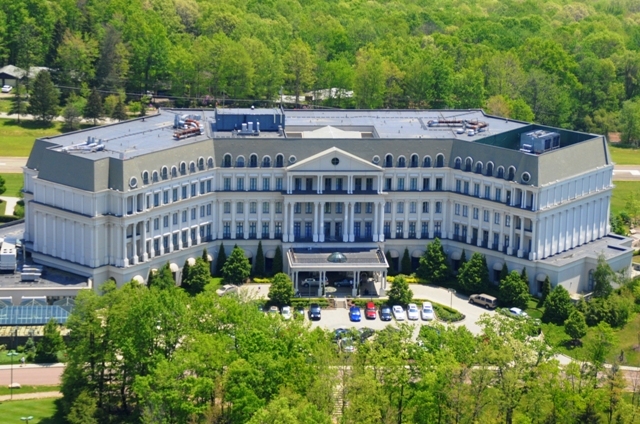
Nemacolin Woodlands Resort
At the PCOA Convention, a mistake was made by the kitchen staff of Nemacolin Woodlands Resort. One of the meal functions was a pasta buffet and, almost incomprehensibly, the facility ran out of pasta before everyone had been served. In fact, they ran out of pasta before perhaps half of the people in the dining room had been served. The situation made the resort look bad and made its guests unhappy – regardless of the quality of their prior experience. The barometer had suddenly changed.
Here is where there are lessons to be learned. A mistake had been made, and it was impossible for it to be unmade; however, the immediacy and the extent of the management response saved the day, maintained the reputation of the resort, and prevented PCOA from looking bad by association.
As soon as it had been confirmed that it was impossible to prepare additional servings of food for this many people in a timely manner, the cash bar became an open bar. This response in itself probably satisfied many of the inconvenienced guests, but management took a further step to insure everyone’s satisfaction. In the trade show hall the following morning, a member of the resort’s management staff took to the microphone to personally apologize for what should not have occurred the evening before. He then directed anyone who had been inconvenienced to see one of the several staff members at his side for a certificate that could be redeemed for a free night’s stay over the course of the following year. Each of these vouchers had a potential value of as much as $489.00. The resort had recovered from an awkward and embarrassing situation, and any lingering dissatisfaction from the previous night had been totally reversed in grand style.
What can your campground learn from this management response?
If someone complains that your restrooms are less than spotless, if a family’s sleep was interrupted by noise from an adjoining site, if a scheduled performer cancels out at the last minute, what is your response? If your response is simply that “stuff happens”, or if you assign the blame to somebody else, you are failing to provide exemplary service. We are all willing – perhaps even anxious – to pardon mistakes, but few people are willing to tolerate a business that demonstrates that it does not care.
Going back to the restroom example, do you ever profile a guest as a “complainer” and dismiss his concerns? Worse yet, do you ever take the attitude that everything is fine because 95% of your guests are content with the status quo? If a guest tells you that your restroom facilities require attention, it is time for you to drop what you are doing and personally look into the issue. Ask the guess to show you the problem that you might have been missing all along but that is capable of creating an indelible impression upon a new set of eyes. Empathize with your guest, apologize if necessary, then take immediate measure to rectify the situation. Your guest will no longer be displeased.
Particularly given the power and the persuasiveness of the social media and online review sites, you cannot simply hope that time heals all wounds. The fact is that time actually compounds those wounds. A lack of response – or an inadequate response – has the capability of harming your business both immeasurably and indefinitely. Think of yourself as the guest – and how you would expect to be treated under the circumstances. When mistakes are inevitably made, go out of your way to overcompensate as rapidly as possible. Never wait for a complaint to be aired online before responding. Worse yet, never assume that most of your guests are content and that you can simply pretend that nothing bad ever happened. The guests who have been left unhappy will have a bitter taste for your business. If they happen to have been first-time campers, you may have just poisoned them toward the entire camping experience. The weight of an industry is on your shoulders. Do your business and the industry a favor by treating your guests with respect. Respect is contagious, and the world will be a happier place.
This post was written by Peter Pelland
Tags: Nemacolin Woodlands Resort
Posted in Marketing Strategies, Review Sites, Social Media |
|
